Making Bookmarked Content
Easy to Rediscover
Rubie is a new social media with AI search that surfaces your bookmarks alongside what's trending — turning forgotten saves into daily inspiration.
Timeline
Oct 2025 - Apr 2026
Contribution
UX Strategy, UX/UI Design,
Branding, Design Systems
My Role
Solo Product Designer
Achievement
83% functionality satisfaction among target users.
Validated with 12 Gen Z testers, ages 18–28
The Problem
Bookmarking content feels productive in the moment,
but people rarely return to it when they actually need it.

Search Landing Screen
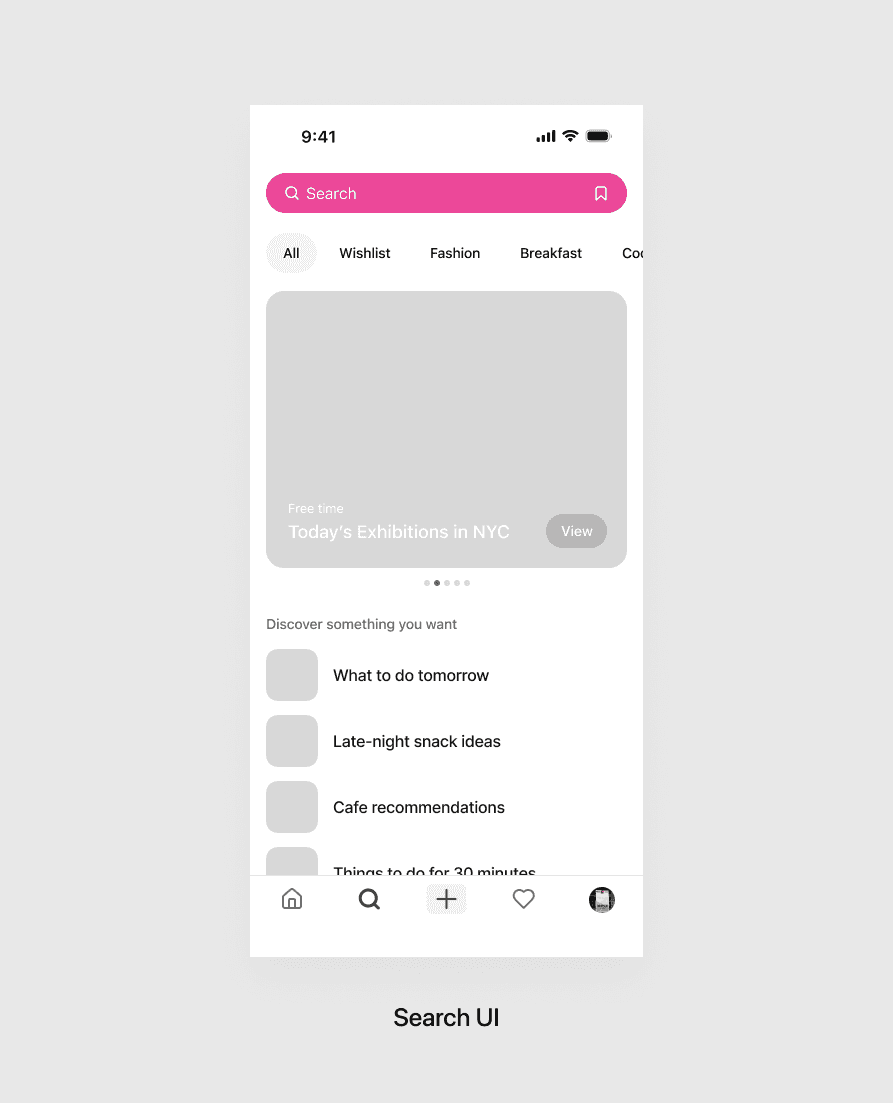
A search landing curated by your bookmarks
Search and bookmarks have always lived in two separate places. Rubie merges them — so the moment you start typing, your saves are already part of the answer.
AI Chat Search
Search that prioritizes your bookmarks
Tap Bookmark Mode and Rubie answers with your saved posts first, followed by relevant new content from the wider feed — putting you in control of which lens leads the search.
Content View
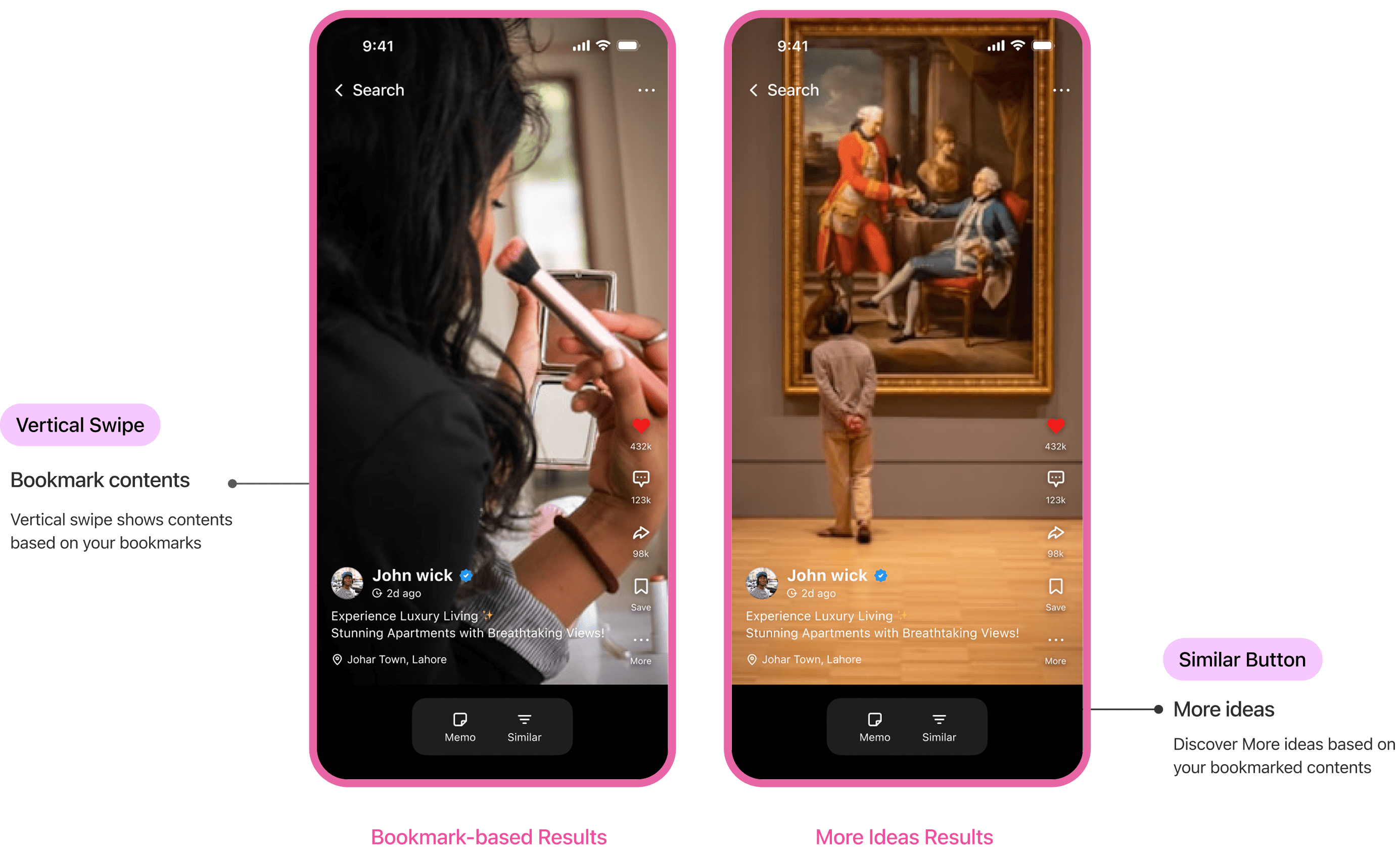
See similar content
and write notes
A simple horizontal swipe on the bottom cloud bar shifts the image of the selected photo tile at the top — a light, physical way to browse what you've saved.
Micro-interactions that make Rubie feel alive
Context
What to do? What to eat?
Gen Z actively seeks and bookmarks daily ideas on social media.
For Gen Z, Social media is not just a platform for communication. It’s an active space for discovering real-time, trend-driven information through people.

Online Survey
Users struggle to find content they bookmarked when they need it.
I surveyed 42 Gen Z users (ages 18–28) about how often they revisit what they bookmark. The pattern was clear: saving feels productive in the moment, but the content rarely makes it back into their day.

Positioning Matrix
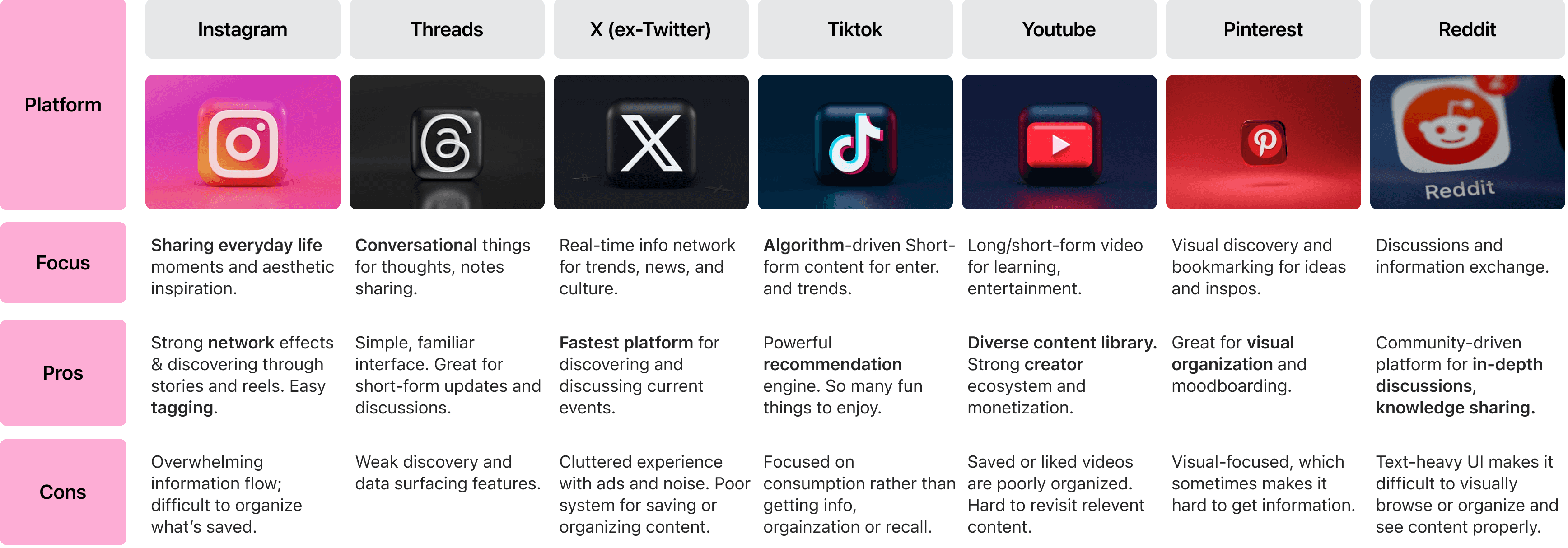
Social media prioritizes instant joy, constantly surfacing new, trending content.
I audited seven platforms — Instagram, Threads, X, TikTok, YouTube, Pinterest, Reddit — to see how each handles saved content. Across all of them, the saved tab sits apart from search. Rediscovery becomes a separate task instead of part of the flow.
Persona
Interviewed three types of users
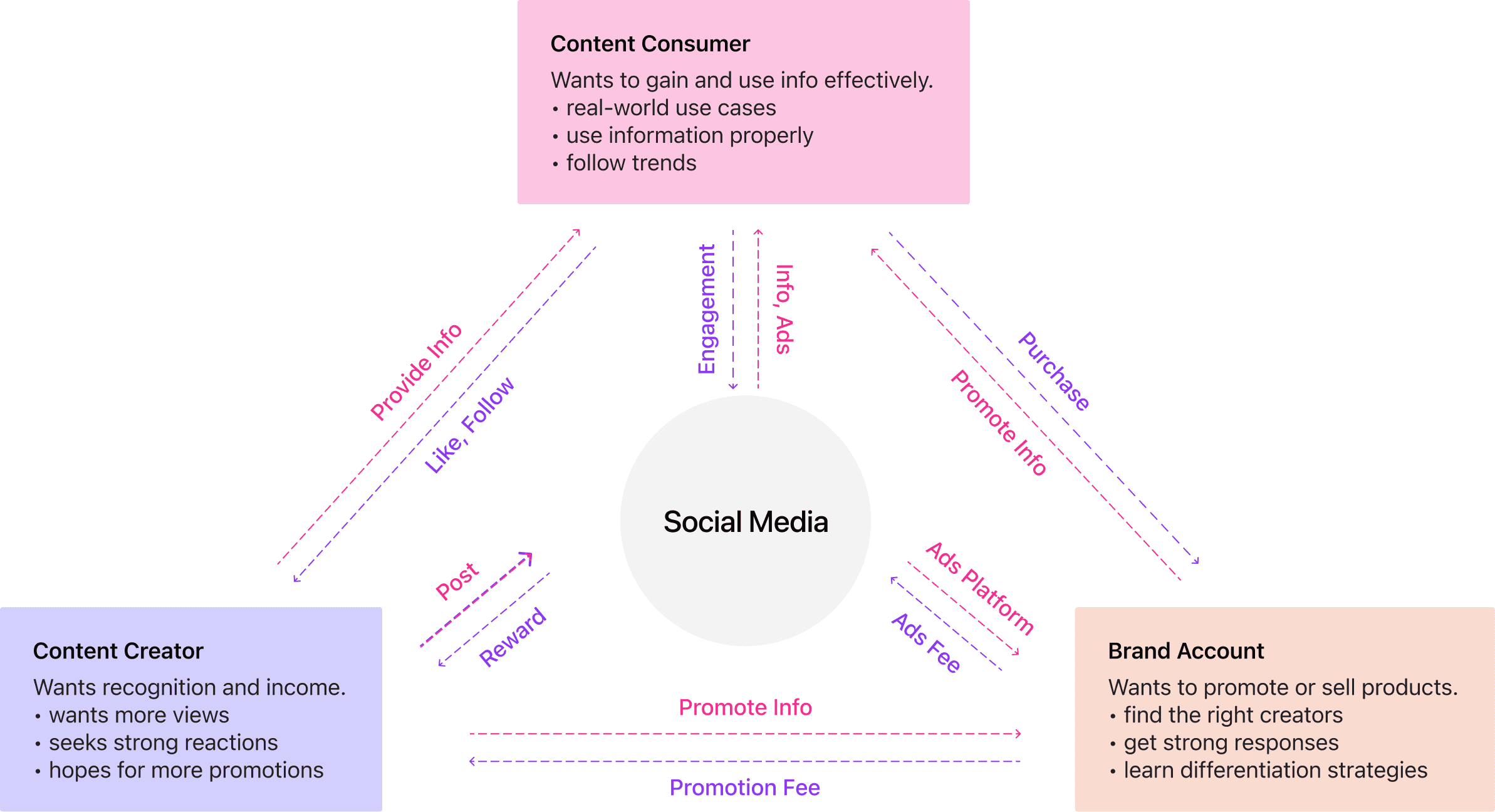
Created three personas representing the information flow ecosystem of social media.

User Research
User Interview Insights
Examined how the current information-driven social media ecosystem operates and identified specific needs across different user groups.
Goal
Design a search experience that balances three needs: rediscovery for consumers, visibility for creators, and engagement for platforms.
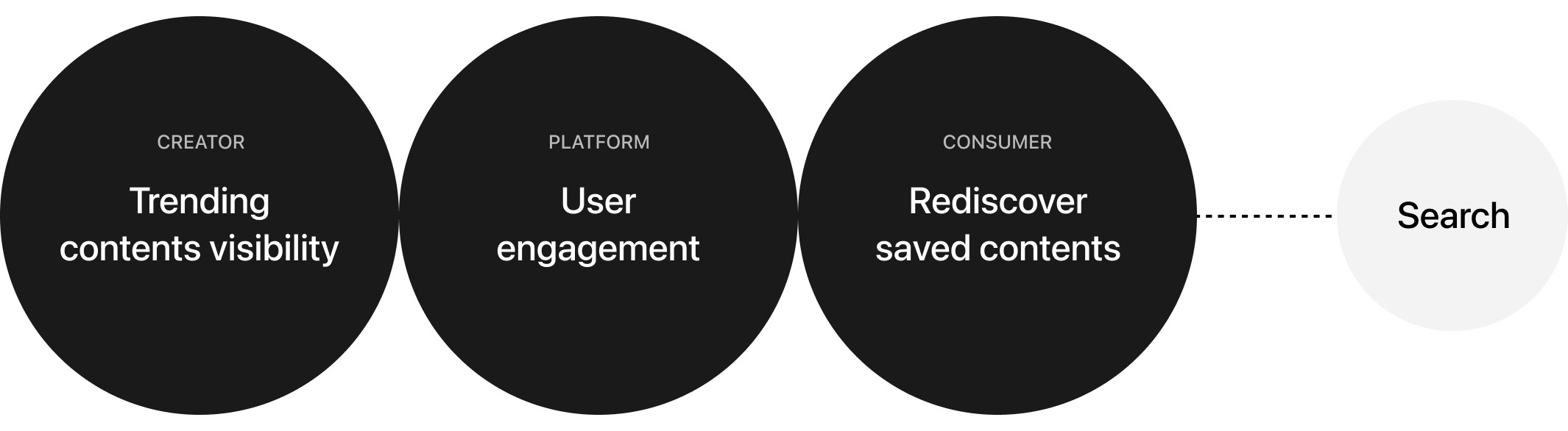
Trending content serves creators and platforms — visibility for new work, engagement for the business. But users' saves stay locked in a separate folder, invisible the moment they start searching. A system that works for everyone except the person searching.
Design Decision 1
Search UI vs Chat UI
Bookmarks are mostly daily-life curation — cafés, recipes, fashion. The kind of content people ask a friend about, not type into a search bar. Chat UI fits — retrieval feels less like a lookup, more like asking someone who knows your taste.
PROS
Easy to scan and compare results
Familiar — users already know how to filter and sort
CONS
Requires precise keywords
Discovery feels fragmented: query, result, repeat
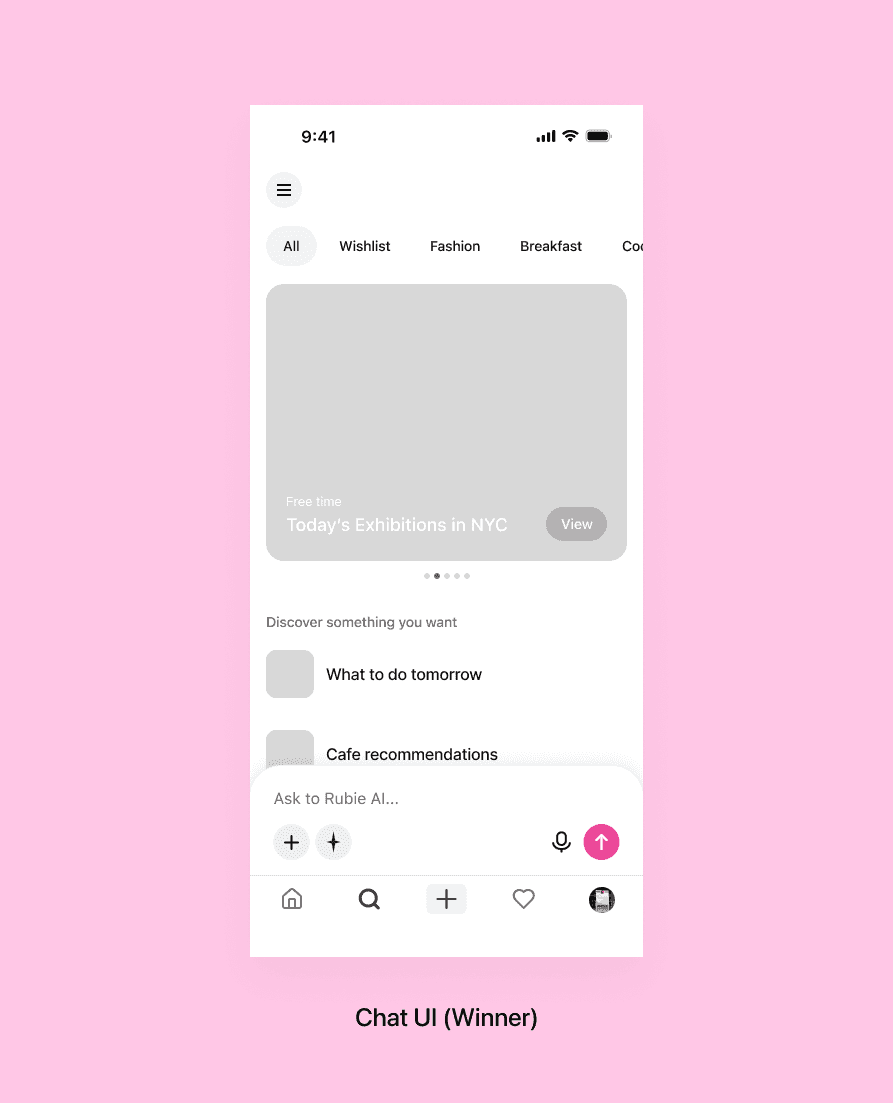
PROS
Natural-language input lowers friction
Built for open-ended discovery and refinement
CONS
Harder to see all results at a glance
Limited filtering and sorting controls
Design Decision 2
Position of AI Chat Search
Because we chose a chat-based UI, we placed search at the bottom for maximum convenience.

Develop
Design Systems
Examined how the current information-driven social media ecosystem operates and identified specific needs across different user groups.

Final Design Decisions
Blending new and bookmarked content in search

Search Landing Screen
On the landing screen, there is mainly new content.
On the other hand, the category detail screen mainly focuses on bookmarks.

Search Results
On the landing screen, there is mainly new content.
On the other hand, the category detail screen mainly focuses on bookmarks.

Content View
On the landing screen, there is mainly new content.
On the other hand, the category detail screen mainly focuses on bookmarks.
Key Learnings
Depth of Problem Definition
At first, the problem was defined broadly as Gen Z not fully utilizing bookmark data. Because it was too broad, the solutions were vague and scattered. Once the focus narrowed to issues within the current search system, the solution became much clearer.
Understanding the Ecosystem
Initially, I assumed this was mainly a problem for content consumers, so I only interviewed consumers. However, when designing, I realized the solution could also benefit creators. By looking at the entire ecosystem, the ideas became more realistic and cohesive.
Importance of Iteration
By creating multiple versions (A, B, C, D), I experienced how iterative design makes solutions more practical and user-friendly.